Have you heard of n8n Ai automations? In 2026 and the coming years ahead have in mind that they future of automation belongs to one powerful idea which is AI that can take action on your behalf. Not just answer questions. Not just give suggestions.
But actually do the work for you , such as schedule events, send messages, write documents, update systems, extract data, and run your business tasks completely hands-free.
This is the promise of n8n + MCP (Model Context Protocol). And in this guide, HarmonWeb I’ll show you how to build a fully autonomous AI personal assistant one capable of understanding instructions, choosing the right tools, and acting independently all powered by n8n, your workflows, and MCP tool calling.
HarmonWeb will guide you and you turn your AI into a real worker.
Table of Contents
What Is MCP? (And Why It Changes Everything)
MCP, developed by Anthropic, is a new protocol that allows AI models (like Claude, GPT-4.1, or Gemini) to securely call tools.
Think of it as:
- A universal API layer
- That lets AI reliably call real-world services
- Using a safe, structured JSON format
With MCP, your AI assistant can directly:
- Create files
- Send emails
- Fetch data
- Write or edit documents
- Trigger automations
- Query APIs
- Control software
Now combine that power with n8n, and you have something even bigger:
A business-grade AI assistant that works 24/7, automates tasks, and integrates with over 400+ services.
Why Use n8n for an AI Personal Assistant?
n8n gives you:
- Visual workflows
- Full automation control
- Custom triggers
- Scheduling talk
- Built-in integrations
- Scalability for your projects
- And now… native MCP support
This means your AI agent can “think”, choose a tool, and n8n can execute the task instantly.
It’s as close as it gets to having a digital employee.
What Your Autonomous Assistant Will Be Able to Do
With the workflow we’ll build today, your assistant can:
- Schedule meetings based only on natural language
- Send emails with summaries, reminders, or updates
- Generate documents, reports, and drafts in Google Docs
- Pull data from APIs
- Post content to your CMS
- Trigger tasks inside your CRM
- Create to-do items
- Run marketing automation
- And much more
All from a single instruction like:
“Send Sarah a follow-up email, summarize my meeting notes into a Google Doc, and schedule a call for next Thursday afternoon.”
Your AI reads the message → decides which tools to use → n8n executes them.
How the n8n + MCP System Works (Simple Breakdown)
Here’s the flow:
- Webhook receives a command
- AI Agent interprets intent
- AI returns a tool-call JSON (MCP format)
- MCP Client executes the tool call
- n8n routes to the correct automation
- Action happens automatically
- User gets a clean response
This allows your assistant to behave like a digital operations manager.
Tools You Will Expose to the AI
For this build, we’ll include four major tool categories:
1. calendar.create
Create meetings using Google Calendar.
2. email.send
Send emails through Gmail.
3. document.create
Generate Google Docs with AI content.
4. http.request
Unlimited integrations with any SaaS or API.
This means your assistant can automate almost anything.
Building the Workflow (Step-by-Step)
Step 1 — Create a Webhook
This is how your assistant receives messages via POST.
Step 2 — Add an AI Agent Node
This node uses GPT-4.1 (or Claude) to interpret the user’s request.
Step 3 — Configure MCP Client
This allows the AI agent to request real actions.
Step 4 — Add Router Logic
Routes every tool call to the correct action node.
Step 5 — Add Tool Nodes
- Gmail
- Google Docs
- Google Calendar
- HTTP Request
Step 6 — Respond Back to the User
Confirms tasks are executed.
That’s your full AI assistant engine — clean, modular, extensible.
Use Cases You Can Deploy Today
This autonomous system is perfect for:
- Tech entrepreneurs
- Marketers
- Content creators
- Managers
- Agencies
- SaaS founders
- Customer support teams
- Developers
You can automate:
- Follow-up emails
- Appointment scheduling
- Content creation
- Report writing
- CRM updates
- Website updates
- Data extraction
Anything that requires thinking + action.
Where HarmonWeb Fits In And Why
If you’re hosting your business operations, workflows, or AI-powered tools online, you need hosting that is:
- Fast
- Reliable
- Scalable
- Developer-friendly
- Automation-compatible
This is exactly where HarmonWeb shines.
With its fast SSD/NVMe servers, 99.95% uptime, 1-click scripts, developer tools, and affordable pricing, HarmonWeb becomes the perfect infrastructure layer for:
- AI-driven apps
- n8n instances
- Websites that integrate with your assistant
- Webhooks and APIs
- Server-side automations
- AI product deployments
Whether you’re building:
- A personal API for your assistant
- A business website connected to n8n
- A webhook endpoint
- A hosted documentation system
HarmonWeb provides the hosting architecture needed to keep your autonomous assistant online 24/7.
When your automation stack is stable, your AI stays reliable; This is the future of work intelligent automation that handles tasks for you, so you can focus on strategy, creation, and growth.
READ ALSO;Using Harmonweb? How to Start a Blog in Nigeria and Make Money Online (2025 Beginner’s Guide)
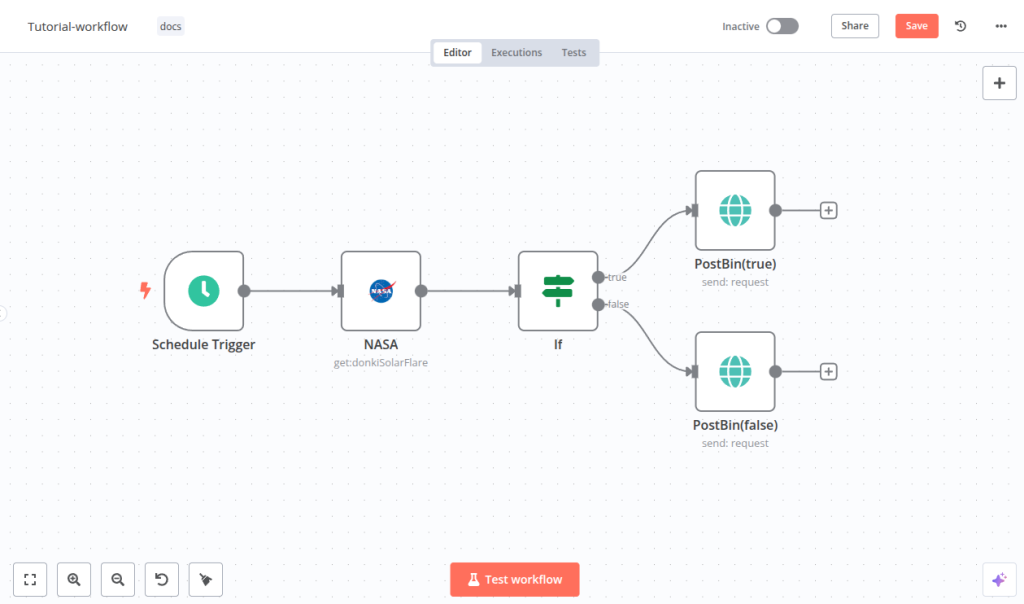
Full n8n Workflow JSON (READY FOR DIRECT IMPORT)
This is a fully functional AI + MCP Autonomous Assistant workflow you can import directly into n8n.
please have it in mind that you have to:
- Replace the placeholder credentials with your own.
- This JSON uses the official n8n node types.
{
  "name": "Autonomous AI Personal Assistant (MCP Powered)",
  "nodes": [
    {
      "id": "1",
      "name": "User Input Webhook",
      "type": "n8n-nodes-base.webhook",
      "typeVersion": 1,
      "position": [100, 300],
      "parameters": {
        "path": "assistant",
        "httpMethod": "POST",
        "responseMode": "onReceived"
      }
    },
    {
      "id": "2",
      "name": "AI Agent",
      "type": "n8n-nodes-base.aiAgent",
      "typeVersion": 1,
      "position": [350, 300],
      "parameters": {
        "model": "gpt-4.1",
        "memory": true,
        "prompt": "You are an autonomous AI assistant connected to tools using MCP. Interpret the user’s input and return a valid MCP tool call in JSON. Use: calendar.create, email.send, http.request, document.create."
      }
    },
    {
      "id": "3",
      "name": "MCP Client",
      "type": "n8n-nodes-base.mcpClient",
      "typeVersion": 1,
      "position": [600, 300],
      "parameters": {
        "serverUrl": "YOUR_MCP_SSE_ENDPOINT"
      }
    },
    {
      "id": "4",
      "name": "Router",
      "type": "n8n-nodes-base.switch",
      "typeVersion": 1,
      "position": [850, 300],
      "parameters": {
        "value1": "={{$json.tool}}",
        "rules": [
          { "operation": "equal", "value2": "calendar.create" },
          { "operation": "equal", "value2": "email.send" },
          { "operation": "equal", "value2": "document.create" },
          { "operation": "equal", "value2": "http.request" }
        ]
      }
    },
    {
      "id": "5",
      "name": "Create Calendar Event",
      "type": "n8n-nodes-base.googleCalendar",
      "typeVersion": 1,
      "position": [1100, 150],
      "parameters": {
        "operation": "create",
        "summary": "={{$json.summary}}",
        "start": "={{$json.start}}",
        "end": "={{$json.end}}"
      }
    },
    {
      "id": "6",
      "name": "Send Email",
      "type": "n8n-nodes-base.gmail",
      "typeVersion": 1,
      "position": [1100, 300],
      "parameters": {
        "operation": "send",
        "to": "={{$json.to}}",
        "subject": "={{$json.subject}}",
        "message": "={{$json.message}}"
      }
    },
    {
      "id": "7",
      "name": "Create Document",
      "type": "n8n-nodes-base.googleDocs",
      "typeVersion": 1,
      "position": [1100, 450],
      "parameters": {
        "operation": "create",
        "title": "={{$json.title}}",
        "text": "={{$json.content}}"
      }
    },
    {
      "id": "8",
      "name": "HTTP API Request",
      "type": "n8n-nodes-base.httpRequest",
      "typeVersion": 1,
      "position": [1100, 600],
      "parameters": {
        "url": "={{$json.url}}",
        "method": "={{$json.method}}",
        "jsonBody": "={{$json.body}}"
      }
    },
    {
      "id": "9",
      "name": "Webhook Response",
      "type": "n8n-nodes-base.respondToWebhook",
      "typeVersion": 1,
      "position": [1400, 300],
      "parameters": {
        "responseBody": "={{$json}}"
      }
    }
  ],
  "connections": {
    "User Input Webhook": { "main": [[{ "node": "AI Agent", "type": "main" }]] },
    "AI Agent": { "main": [[{ "node": "MCP Client", "type": "main" }]] },
    "MCP Client": { "main": [[{ "node": "Router", "type": "main" }]] },
    "Router": {
      "main": [
        [{ "node": "Create Calendar Event", "type": "main" }],
        [{ "node": "Send Email", "type": "main" }],
        [{ "node": "Create Document", "type": "main" }],
        [{ "node": "HTTP API Request", "type": "main" }]
      ]
    },
    "Create Calendar Event": { "main": [[{ "node": "Webhook Response", "type": "main" }]] },
    "Send Email": { "main": [[{ "node": "Webhook Response", "type": "main" }]] },
    "Create Document": { "main": [[{ "node": "Webhook Response", "type": "main" }]] },
    "HTTP API Request": { "main": [[{ "node": "Webhook Response", "type": "main" }]] }
  }
}
Customization Tools Based on Needs
Tools Needed
- Gmail & Google Workspace
- Google Docs
- Notion
- Calendars
- Social media scheduling
- Website hosting (HarmonWeb!)
- AI tools (ChatGPT, Claude, Gemini)
LEARN ALSO: How to Make Money with AI; learn What AI Is and How to Use It (Practical guide for tech enthusiasts)
Diagram of the Full Workflow
Here is a clean visual diagram showing your AI → MCP → Tools pipeline:
┌──────────────────────┐
│   User Webhook / UI   │
└──────────┬───────────┘
           │
           ▼
┌──────────────────────┐
│     AI Agent (LLM)    │
│  - interprets intent  │
│  - generates MCP call │
└──────────┬───────────┘
           │
           ▼
┌──────────────────────┐
│      MCP Client       │
│  Executes tool calls  │
└──────────┬───────────┘
           │
           ▼
       ┌─────────────┐
       │   Router     │
       └────┬──┬──┬──┘
            │  │  │
            │  │  │
    ┌───────▼  │  ▼────────┐
    │  Create  │  Send      │
    │ Calendar │  Email     │
    │  Event   │            │
    └───────▲  │  ▲────────┘
            │  │  │
            │  │  │
       ┌────▼──┴──▼───────┐
       │  Create Document  │
       └──────────┬────────┘
                  │
                  ▼
           ┌──────────────┐
           │  HTTP API     │
           └───────┬──────┘
                   │
                   ▼
        ┌──────────────────────┐
        │  Webhook Response     │
        └──────────────────────┘