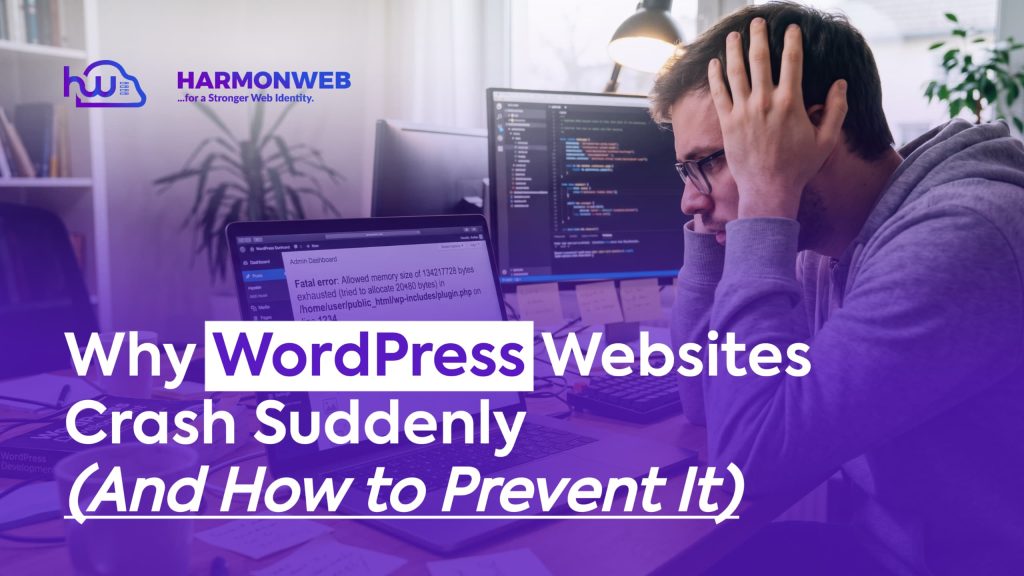
A WordPress website can run smoothly for months and suddenly go offline without warning. One moment everything works perfectly, and the next moment visitors are staring at error messages, blank pages, or painfully slow loading speeds.
For businesses, bloggers, and online stores, this can be frustrating and costly. A crashed website does not just affect traffic. It can damage user trust, reduce conversions, and even hurt your rankings on Google.
The good news is that most WordPress website crashes happen for predictable reasons. Once you understand the common causes, preventing them becomes much easier.
In this guide, you’ll learn why WordPress websites crash suddenly, how to fix the issue quickly, and what you can do to keep your website stable long-term.
For website owners who want reliable WordPress maintenance and performance monitoring, Harmonweb provides practical solutions that help websites stay secure, optimized, and online.
Table of Contents
Why WordPress Websites Crash Suddenly
WordPress is one of the most powerful content management systems in the world, but it still depends on several moving parts working together properly. A single issue involving your hosting, plugins, database, or server configuration can bring down the entire website.
Below are the most common reasons WordPress websites crash unexpectedly:
1. Plugin Conflicts
Plugins add useful features to WordPress websites, but they are also one of the biggest causes of crashes
Sometimes:
- Two plugins conflict with each other
- A plugin becomes outdated
- A poorly coded plugin overloads the server
When this happens, your site may:
- Display a white screen
- Become extremely slow
- Show PHP errors
- Stop loading completely
Example
Imagine installing a security plugin that conflicts with your caching plugin. Instead of improving your website, the two plugins begin interferring with each other and eventually crash the site.
This is why professional WordPress management services like HarmonWeb often test plugin compatibility before making major updates.
2. Poor Web Hosting
Cheap or overloaded hosting is another major reason WordPress websites crash suddenly.
Many low-cost hosting providers place hundreds of websites on the same server. If one website consumes excessive resources, other sites on the server may slow down or crash as well.
Common hosting-related problems include:
- Server downtime
- Limited bandwidth
- Slow database performance
- Insufficient memory allocation
If your website experiences frequent outages, your hosting environment may be the real problem.
Businesses that depend on uptime often choose reliable hosting solutions and ongoing website monitoring from providers like Harmonweb to reduce technical interruptions.
3. Traffic Spikes
Sudden traffic increases can overwhelm a WordPress website.
This usually happens when:
- A post goes viral
- An ad campaign performs well
- Your website appears on Google Discover
If your server cannot handle the traffic load, the site may:
- Crash completely
- Become unresponsive
- Show server timeout errors
Example
A small business website hosted on a basic shared hosting plan may work perfectly with 200 daily visitors. However, if a viral Facebook post ssuddenly sends 20,000 visitors in one day, the server may fail instantly.
Website optimization and scalable hosting become extremely important during periods of growth.
4. Corrupted WordPress Files
WordPress relies on core files to function properly. If these files become damaged, your website maycrash unexpectedly.
This can happen because of:
- Incomplete updates
- Malware infections
- Accidental file edits
- Failed installations
A corrupted file inside important folders like:
- wp-admin
- wp-includes
can affect the entire website.
Keeping regular backups and monitoring file integrity helps reduce these risks.
5. Outdated Themes and Plugins
Running outdated software is dangerous for any WordPress website.
Old plugins and themes may:
- Contain security vulnerabilities
- Become incompatible with newer WordPress versions
- Create performance issues
Hackers often target outdated WordPress installations because they are easier to exploit.
For this reason, routine maintenance is essential. Services such as Harmonweb help website owners manage updates safely while minimizing downtime risks.
6. Database Errors
WordPress websites depend heavily on databases.
If the database becomes corrupted or overloaded, the website may stop functioning correctly.
Signs of database problems include:
- “Error Establishing Database Connection”
- Missing website content
- Failed login attempts
- Slow loading pages
Database issues often occur after:
- Server failures
- Plugin conflicts
- Malware attacks
- Excessive database bloat
Optimizing and repairing the database regularly can improve both speed and stability.
7. Malware and Security Attacks
Cyberattacks are another common cause of WordPress crashes.
Hackers may:
- Inject malicious code
- Overload your server
- Corrupt website files
- Redirect visitors to spam pages
Without proper security protection, even a small vulnerability can compromise your entire website.
Warning Signs of Malware
- Sudden website crashes
- Suspicious redirects
- Unknown admin accounts
- Unusual spikes in resource usage
Strong website security and malware monitoring are essential for long-term stability.
Website security services from Harmonweb can help businesses identify vulnerabilities and protect their WordPress installations from common attacks.
How to Prevent WordPress Website Crashes
Preventing crashes is usually easier than fixing them after they happen.
Here are some practical ways to keep your WordPress website stable and reliable.
1. Keep WordPress Updated
Always update:
- Wordpress core
- Themes
- Plugins
Updates often include:
- Security patches
- Bug fixes
- Performance improvements
However, updates should be tested carefully before applying them to live websites.
2. Use Quality Hosting
Your hosting provider plays a huge role in website stability.
Reliable hosting offers:
- Better uptime
- Faster loading speeds
- Stronger security
- Improved server resources
Avoid choosing hosting based only on price. If you’re looking for website stability, then choose Harmonweb as your hosting provider
3. Limit Unnecessary Plugins
Installing too many plugins increases the chances of conflicts and server overload.
Only use plugins that:
- Are actively maintained
- Have good reviews
- Serve an important purpose
Delete plugins you no longer need.
4. Install Security Protection
Security plugins and firewalls help protect WordPress websites from attacks.
Good security practices include:
- Using strong passwords
- Enabling two-factor authentication
- Scanning for malware regularly
- Limiting login attempts
5. Create Regular Backups
Backups are one of the most important parts of WordPress maintenance.
If your website crashes, a backup allows you to restore it quickly instead of rebuilding everything from scratch. Daily or weekly backups are strongly recommended.
6. Monitor Website Performance
Many website crashes start with small warning signs:
- Slow loading times
- Increasing server usage
- Database errors
- Random downtime
Performance monitoring helps detect issues before they become major problems.
Businesses that want proactive website management often use professional maintenance services from Harmonweb to monitor uptime, optimize speed, and prevent technical failures.
Final Thoughts
WordPress websites rarely crash without a reason. In most cases, the problem comes from:
- Plugin conflicts
- Weak hosting
- Outdated software
- Malware attacks
- Server overload
- Database issues
Understanding these common causes makes troubleshooting much easier.
More importantly, regular maintenance, proper security, and reliable hosting can prevent most crashes before they happen.
For businesses and website owners who want dependable WordPress support, security monitoring, and performance optimization, Harmonweb offers practical website solutions designed to keep WordPress websites fast, secure, and stable.