Discovering that your WordPress website has been hacked can be stressful. One day your site works perfectly, and the next day visitors are redirected to spam pages, strange ads appear on your homepage, or Google warns users that your website may be dangerous.
A hacked website can damage your reputation, reduce search rankings, expose customer information, and even lead to financial losses if left unresolved.
The good news is that a hacked WordPress website can usually be recovered if you act quickly and follow the right steps.
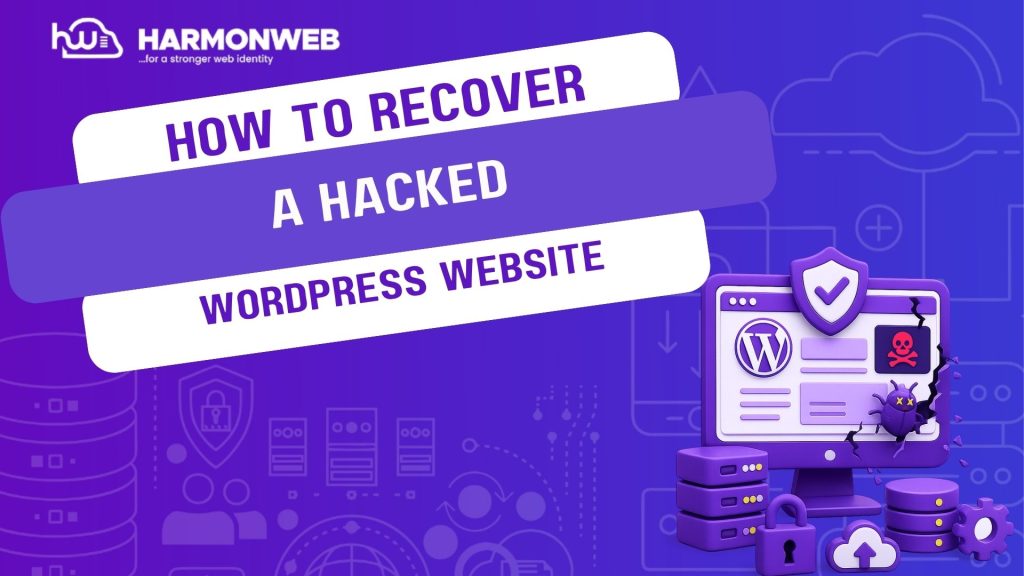
In this guide, you’ll learn how to recover a hacked WordPress website safely, rem malware, secure your files, and prevent future attacks.
For businesses and website owners who need professional WordPress security and recovery support, HarmonWeb provides reliable website maintenance, malware clean-up, and security monitoring services.
Signs Your WordPress Website Has Been Hacked
Sometimes the signs are obvious. Other times, malware can stay hidden for weeks before website owners notice anything unusual.
Common signs of a hacked WordPress website include:
- Sudden website crashes
- Unexpected redirects
- Strange popups or spam ads
- New admin accounts you did not create
- Slow website performance
- Google security warnings
- Missing website files
- Unusual traffic spikes
- Visitors reporting suspicious behavior
Hackers often inject malicious code quietly in the background, making early detection extremely important.
Why WordPress Websites Get Hacked
WordPress itself is secure, but vulnerabilities often come from poor website management.
The most common causes include:
- Outdated plugins
- Weak passwords.
- Insecure hosting
- Nulled or pirated themes
- Outdated WordPress versions
- Poor website security practices
A single vulnerable plugin can give hackers access to your entire website.
This is why proactive security monitoring from providers like HarmonWeb is important for businesses that rely heavily on website uptime and customer trust.
How to Recover a Hacked WordPress Website
If your website has been compromised, avoid panicking. Follow these steps carefully to recover your website safely.
1. Put Your Website in Maintenance Mode
The first thing you should do is limit public access to the hacked website.
This helps:
- Protect visitors
- Prevent further damage
- Stop malware from spreading
You can temporarily:
- Enable maintenance mode
- Disable the website
- Use a security plugin to block suspicious activity
If your hosting provider offers malware quarantine tools, activate them immediately.
2. Change All Passwords Immediately
Hackers often gain access through weak passwords.
Immediately change:
- WordPress admin passwords
- Hosting account passwords
- FTP passwords
- Database passwords
- Email account passwords
Use strong passwords with:
- Uppercase letters
- Lowercase letters
- Numbers
- Symbols
Avoid reusing old passwords.
3. Scan Your Website for Malware
A malware scan helps identify infected files and suspicious code.
Common areas hackers target include:
- WordPress core files
- Plugin folders
- Theme files
- The database
Security plugins can help detect threats, but advanced infections may require professional clean-up services.
Businesses that want thorough malware removal often use expert WordPress security support from Harmonweb to identify hidden vulnerabilities and clean infected files safely.
4. Remove Suspicious Users and Files
Hackers sometimes create hidden administrator accounts to maintain access to the website.
Check your WordPress dashboard carefully and remove:
- Unknown admin users
- Suspicious plugins
- Unauthorized themes
- Unfamiliar files
You should also inspect important folders such as:
- wp-content
- uploads
- wp-admin
Look for unusual file names or recently modified files you do not recognize.
5. Restore a Clean Backup
If you have a recent backup created before the hack occured, restoring it may be the fastest recovery option.
A clean backup can:
- Remove malware quickly
- Restore damaged files
- Reduce downtime
However, make sure the backup itself is not infected before restoring it.
This is why regular website backups are extremely important for WordPress websites.
6. Reinstall WordPress Core Files
Hackers sometimes modify important WordPress files.
To replace infected core files:
- Download a fresh copy of WordPress
Replace:
- wp-admin
- wp-includes
Do not replace:
- wp-content
- wp-config.php
This refreshes the WordPress system files without deleting your website content.
7. Update Plugins, Themes, and WordPress
Outdated software is one of the biggest causes of WordPress hacks.
After cleaning your website:
- Update WordPress
- Update plugins
- Update themes
- Delete unused plugins
Only install plugins and themes from trusted sources.
Avoid pirated or nulled themes completely because they often contain hidden malware.
8. Secure Your Website Properly
Recovering the website is only part of the solution. You also need to prevent future attacks.
Important security measures include:
- Enabling two-factor authentication
- Limiting login attempts
- Installing a firewall
- Scanning for malware regularly
- Using secure hosting
- Creating automatic backups
Professional website maintenance services from HarmonWeb can help website owners monitor vulnerabilities, strengthen security, and reduce the risk of future attacks.
How to Prevent Your WordPress Website From Getting Hacked Again
Once your website is clean, prevention becomes the priority.
Here are practical ways to improve long-term WordPress security.
1. Use Reliable Hosting
Weak hosting environments make websites easier to attack.
A reliable hosting provider offers:
- Stronger server security
- Malware protection
- Automatic backups
- Better uptime monitoring
- Cheap hosting may save money initially but oftenincreases security risks later.
2. Avoid Too Many Plugins
Installing too many plugins increases vulnerability risks.
Only use plugins that:
- Are actively maintained
- Have positive reviews
- Come from trusted developers
Delete plugins you no longer need.
3. Keep Regular Backups
Backups are your safety net during security emergencies.
If your website gets hacked again, a recent backup can save hours of recovery work.
Automated daily or weekly backups are strongly recommended.
4. Monitor Website Activity
Suspicious activity often appears before a major attack happens.
Monitor:
- Failed login attempts
- Unusual traffic spikes
- Unknown file changes
- Strange redirects
Early detection makes recovery much easier.
Businesses that want proactive website monitoring often rely on Harmonweb for ongoing WordPress maintenance and security management.
Final Thoughts
A hacked WordPress website can feel overwhelming, but most websites can be recovered successfully with the right approach.
The most important steps include:
- Changing passwords
- Scanning for malware
- Removing suspicious files
- Restoring clean backups
- Updating outdated software
- Improving website security
Acting quickly can reduce downtime, protect your visitors, and prevent further damage to your brand.
For businesses, bloggers, and online stores that need dependable WordPress security support, malware clean-up, and website maintenance, HarmonWeb offers practical solutions designed to keep WordPress websites secure, stable, and protected from future attacks.