Even after removing any malicious software on a hacked WordPress site, and restoring its home page, it can still be at risk because hackers sometimes use a backdoor entry method which give them access to modify the website’s files or make new user accounts.
These backdoors are hard to spot since they could be masked as valid WordPress files that are embedded within plugins, themes, or even the website’s database. Therefore, elimination of the apparent virus without checking other sections of the website will cause reoccurrence of attacks.
Locating and eliminating the backdoors present entails conducting a comprehensive scan of your WordPress files, database, user accounts and server. This tutorial will help you to spot potential entry points, eliminate them and decrease chances of another attack.
Table of Contents
What Is a WordPress Backdoor?
WordPress backdoor refers to any hidden way through which a hacker can gain access to or take control of the website without going through the website’s normal authentication procedure. This could be through the introduction of malicious code like PHP scripts and plugins.
A backdoor once installed enables hackers to run commands, upload more malware, add new users or alter web pages. There are some backdoors which do not become active until hackers make a request from their end or visit certain URLs.
Methods Used by Attackers to Install Backdoors
Most hackers use plugin vulnerabilities, outdated themes, weak passwords for administrators and compromised host accounts to initially attack the site. Once inside the site, they might upload malicious software or change existing ones to retain their entry into the website.
As an illustration, an attacker might place a PHP script within a plugins folder and name it using a seemingly legitimate file name. Following the deletion of the compromised plugin, an alternative backdoor may exist somewhere else.
Difference Between Malware and a Backdoor
Malware implies malicious software used for performing any harmful actions. A backdoor is a kind of access method which enables the attacker to avoid any regular security measures.
There could be various types of malware installed on the infected website, such as redirect scripts, spam injections and backdoors. It is because of this reason that finding malware does not necessarily imply that all the backdoors have been located.
How Do You Know if There Is an Undetected Backdoor on Your WordPress Website?
An undetected backdoor does not necessarily have symptoms that are easy to spot. But the following actions can show that you still have unauthorised access.
Look for these warning signs:
- Administrator accounts with no clear origins: New users who have administrator rights might be a sign of unauthorised access.
- Plugins and themes of unknown origin: The hackers can install some modified extensions or create secret plugins.
- Recurring infection by malware: Recurrent infections after cleaning up can mean a backdoor is present or the hosting account has been compromised.
- Suspicious PHP files: The presence of an unexpected script file or an unfamiliar file in folders that should not have PHP executable files could be malicious.
- Unexpected redirects: The visitor may be redirected to gambling, pharmacy or other malicious websites.
- Modifications to core files: Modification of system files in WordPress without any update is usually an indication of code injection.
These are not always indications of the presence of a backdoor but they are good points to start with during a security audit.
How to Locate Potential Backdoors in WordPress?
Backdoors can be located at various locations within the WordPress application. Scanning for backdoors only in the website’s root folder might fail to detect other malicious files.
- Core WordPress Directories: Examine the wp-admin and wp-includes folders to see if there are any suspicious files present in these directories. Malicious individuals often add their malicious code to existing WordPress core files.
- Plugin and Theme Files: A compromised plugin or theme is one of the frequent sources. Look for any strange PHP files or changes made to the code which does not correspond to the original extension.
- The Uploads Directory: The wp-content/uploads folder usually holds only the media files. However, hackers can put malicious PHP scripts there if the file upload permissions are not strong enough.
- wp-config.php and .htaccess Files: The wp-config.php file holds the configurations of WordPress installation whereas .htaccess is used to set up redirects or access control from the server on Apache hosting. Unusual code in either file indicates that someone might be trying to retain access or perform a redirection.
- WordPress Database and Administrator Accounts: The backdoor could be present in other locations apart from files. Look for any injected code, unknown options and unauthorized administrator accounts in the database.
- Must-Use Plugins and Scheduled Tasks: Must-use plugins are kept under wp-content/mu-plugins and loaded automatically. Hackers could exploit this directory since these plugins cannot be seen under the default plugin management page.
Additionally, look for any suspicious scheduled events and cron jobs on the WordPress server that may be executing any malicious scripts.
How to Find Hidden Backdoors in a Hacked WordPress Website
Do not delete any file before thoroughly checking the site. You might remove some critical file, which is essential for identifying the attacker, or you might render certain functionalities non-functional.
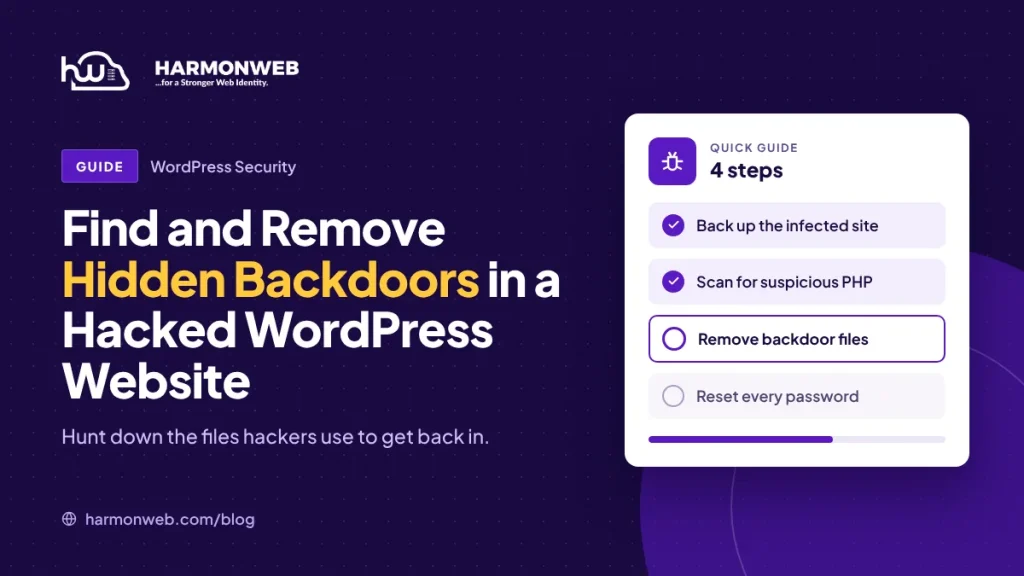
Step 1: Make a Full Backup of Your Site
It is essential that you take a full backup of all your WordPress files and database before doing anything else. The backup should be stored in a different location other than where the hacked hosting account is located.
In case an investigation of how the breach occurred is required, keep a copy of the files that were affected and the corresponding logs.
Step 2: Conduct a WordPress Malware Scan
A reliable WordPress security plugin can be used to conduct a scan on the site for any signs of malware, suspicious codes or infected files.
Security plugins like Wordfence can be helpful in finding tampered core files as well as detecting other suspicious activities. However, some automated scanners may fail to detect all the backdoors, particularly in instances where an attacker uses an unknown code.
Step 3: Check Your WordPress Core Files Against Known Good Copies
To know whether the WordPress core files have been altered, perform the following procedure to check their integrity using WP-CLI:
| wp core verify-checksums |
This command checks the installed core files against their respective checksums. This can help spot any unauthorized changes, though this is not applicable for plugins, themes and other custom files.
Step 4: Examine Recent Modifications in Files
Check out the files that were modified on or before the hack occurred using your host’s File Manager, FTP or SSH.
Look carefully at any unfamiliar PHP files and strangely named scripts or executables within the uploads folder. Beware of any functions that look unusual, including eval(), base64_decode() and gzinflate().
Not all of these functions are necessarily malicious, however, since these can be used by valid applications. Study the source code and the purpose of the file before you make your decision to delete.
Step 5: Plugins, Themes and Administrator Accounts
Compare your current plugins and themes with their original versions. See whether you have any unusual plugins that may still contain vulnerabilities.
After that, examine the WordPress administrator accounts and remove unauthorized users once you have made sure that they are not members of your team.
Step 6: Verify the Database and Scheduled Tasks
Check if there is anything unusual in the tables in the database, such as scripts that have been injected, administrator accounts that shouldn’t be there, or alterations made to the WordPress settings.
Keep in mind that an extensive search must include all websites and directories of the hacked hosting account, not just the hacked WordPress site.
How to Remove Hidden Backdoors in WordPress
After finding suspicious files, accounts, and/or database entries, make sure to remove them properly. The purpose of this is to prevent unauthorised access while not interfering with the normal workings of the website.
1. Restrict Public Access First
Restrict the website access before doing the cleaning if possible. This lessens the likelihood of having attackers run any malicious code during your investigation.
In case you host multiple sites using one hosting account, determine whether other installations are affected as well.
2. Eliminate Malicious Files and Code Injections
Eliminate any malicious files and remove code injections from valid files. Don’t delete unknown files only because they have suspicious filenames.
In case a valid WordPress core file has been altered, replace it with an unaltered one from the WordPress release. Restore hacked plugins and themes from reputable sources instead of trying to fix them yourself.
3. Cleaning of Malicious Database Entries
It is important to remove all the entries that are considered as malicious in the database. This will include script injections, unauthorized administrators and options.
Do not modify the tables in your database carelessly. You can harm website contents, users’ information and plugin settings by doing so. Always have backups before doing anything in the database.
4. Eliminate Unauthorized Access and Cron Jobs.
Eliminate any unauthorized administrator account and examine suspicious scheduled tasks or cron jobs on the server. Also check for any hidden malware in must-use plugins and other automatic loading features.
5. Reset All Compromised Credentials
Password changes are required for all WordPress administrators, hosting access, FTP or SSH user accounts and database user accounts. Update the WordPress authentication salts and keys within wp-config.php to invalidate all existing sessions.
Check your hosting access details, API credentials, and all other compromised accounts.
Also check for hosting permissions, API keys and any other accounts that could be compromised.
How to Prevent Backdoors From Being Reintroduced
The process of eliminating already present backdoors is not enough, you need to fix the security breach that permitted the website to be compromised.
Some of the preventive measures are:
- Always keep your WordPress updated: Always make sure that you have installed security updates for WordPress core, themes and plugins immediately.
- Unused extensions should be deleted: Abandoned, old and unwanted plugins and themes should be deleted.
- Check the activity of the website: Check the activity of the files and administrators and security alerts.
- Configure the correct file permissions: Enhance security by ensuring that those files and directories that don’t need writing permission don’t have it at all.
- Make use of secure passwords and two-factor authentication: Secure your WordPress administrator and web host with tough passwords that are difficult to guess and an additional login check.
- Install a security plugin and firewall: Add a virtual security guard to your system which will keep track of all suspicious activities and protect your website from malicious traffic.
- Keep offsite backups: Create backups that are completely separate from your web host as an insurance plan in case of any future attacks.
Additionally, utilize a dependable hosting service which has a secured server, malware scan and account isolation. This will help you lower the chances of spreading the virus across multiple sites.
When to Seek Professional WordPress Malware Removal Services
Sometimes, some WordPress infections become very complex that require manual removal by professional experts. In cases where malware keeps on returning, where the code becomes too much obfuscated, and where multiple hosting accounts have been affected, professional help is needed.
A security analyst can analyze the original point of intrusion, study the server log files, detect persistence techniques used by the intruder and clean the files and databases accordingly.
Inspection at the level of the hosting service becomes particularly necessary when an attack has compromised the account itself. In such a case, simply cleaning the WordPress installation will not help.
Conclusion
Backdoors hidden from view can enable attackers to gain entry to a WordPress site, even if all the malware is deleted. This is why a good clean-up will require a close examination of all your core files, themes, plugins, uploads, database tables, administrator accounts, and cron jobs.
Most importantly, protect your hosting account from any future threats, update your software vulnerabilities and make sure you have backups.
However, if your WordPress website has been compromised or is constantly being re-compromised, then there is probably more than meets the eye. Are you looking for safe hosting for your WordPress site that includes great security features? Go for HarmonWeb because they have proper configuration of the hosting services along with reliable security.